Loan tracker for iPhone and Android
Lend money to friends without the awkward part.
Write down what you lent and when you want it back. Prend reminds both of you before the deadline. The loan closes once you confirm the money arrived.
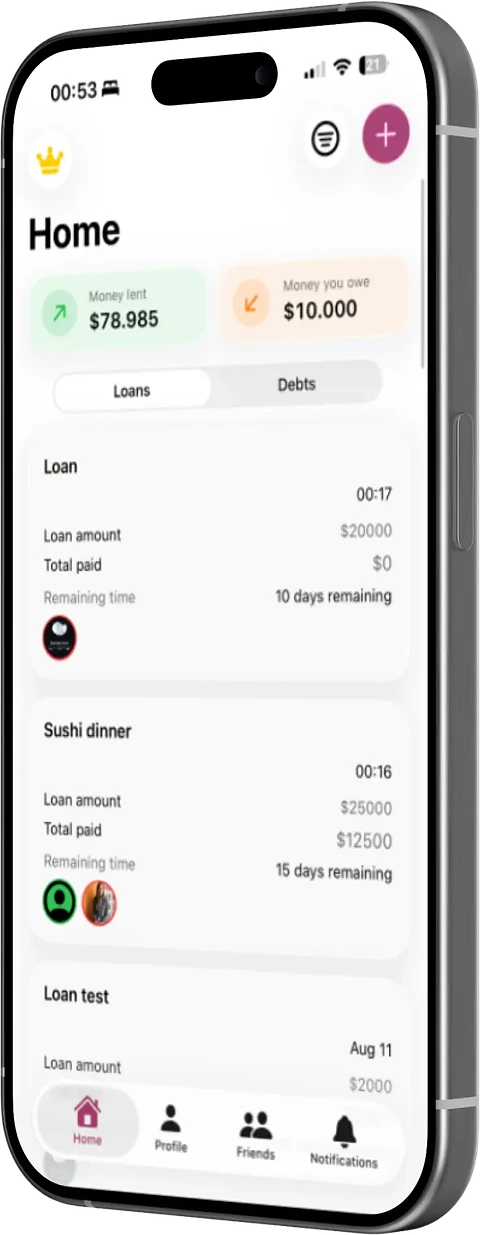
Loans and debts
Both sides see the same numbers.
A loan you record shows up in the other person's app too, as a debt. Neither of you has to keep a separate list.
- Money lent
- What people owe you, added up. Each loan shows the amount, the date, the deadline and how much has been paid back so far.
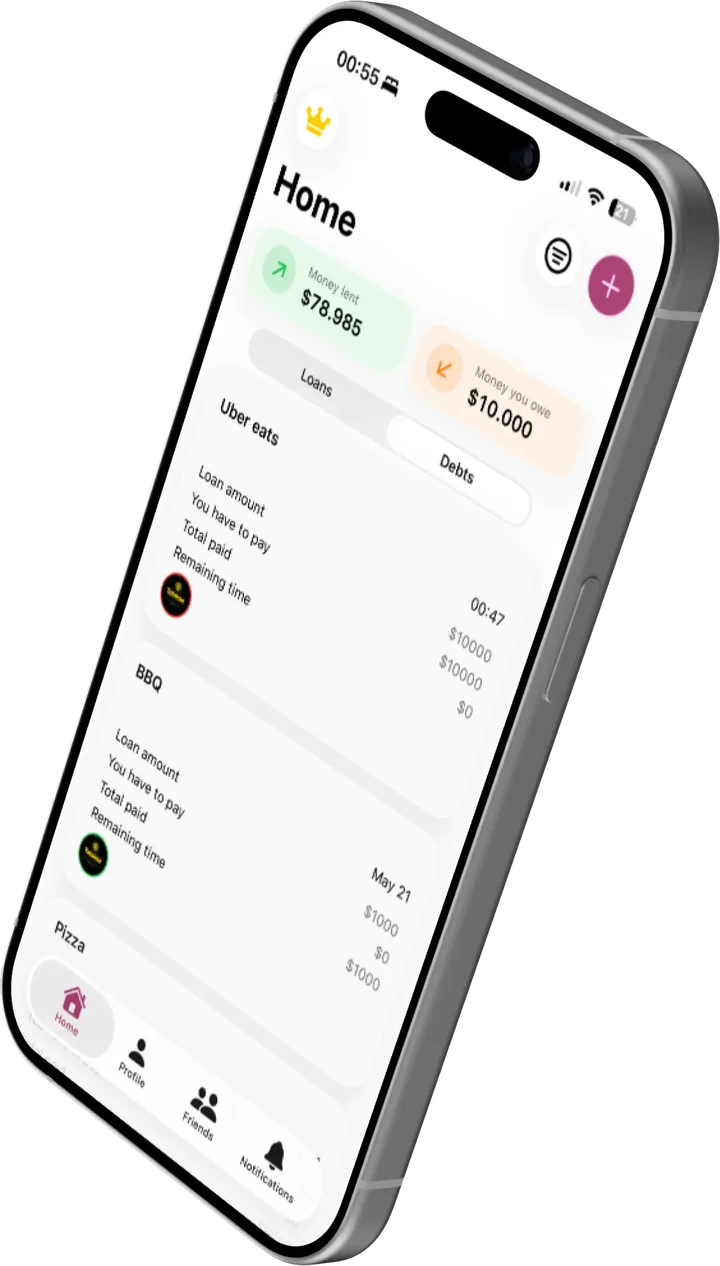
- Money you owe
- The same total for your side. Debt cards have an extra row for how much you still have to pay.
- More than one person
- A loan can include several people. The ring around each photo turns green when that person has paid you back.
- Partial payments
- You can record a payment for part of a loan. The balance updates and the loan stays open until it is fully paid.
How it works
Setting up a loan takes four steps.
- 01
Add the people you lend to
Send them a friend request in the app. You can only record a loan against someone who has accepted.
- 02
Write down the loan
The amount, what it was for, and the date you want it back. It takes a few seconds.
- 03
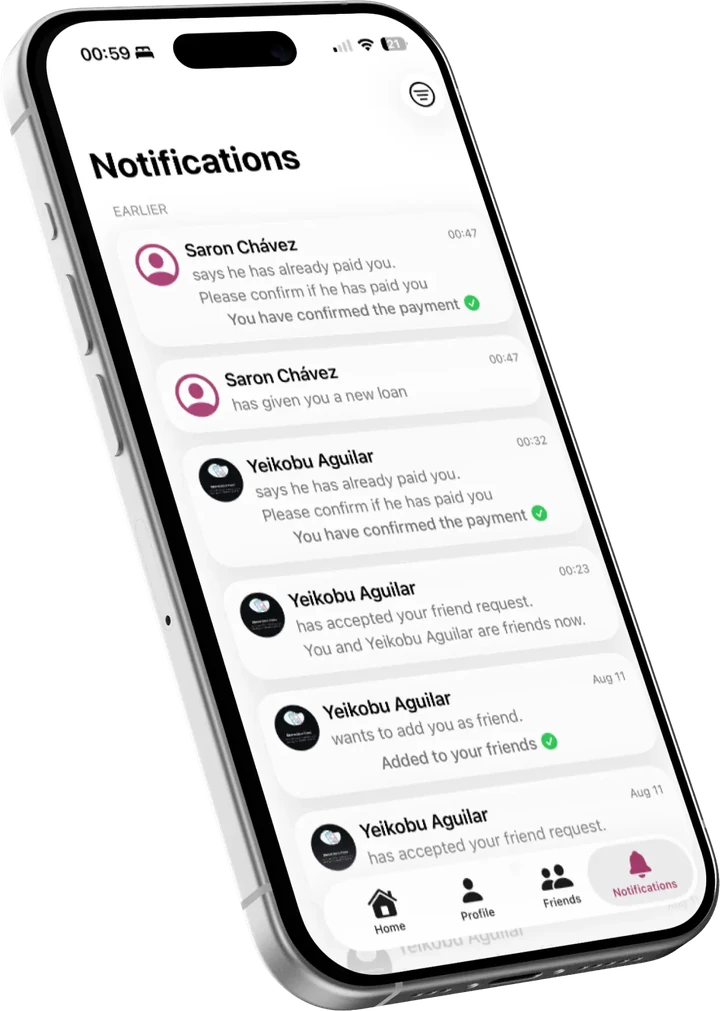
Prend sends the reminders
You get a notification before the deadline. So does the other person, so you do not have to bring it up yourself.
- 04
Both of you confirm
They mark the loan as paid and you confirm it. The loan closes after that.
Questions
What people ask.
Who can see a loan?
Only the two people in it. Loans are not public and are not shown to anyone else on Prend.
Does Prend touch my bank account?
No. Prend does not connect to any bank and no money moves through it. It only keeps the record.
What if someone bothers me?
You can block or report any user from their profile. Blocked people cannot add you or send you anything.
Can I delete everything?
Yes. You can delete your account from the app, or request it from the delete-account page.
Delete accountThere is more detail in the privacy policy.